
Best overall: Freedom for blocking digital distractions. Best for timed work sessions: Focus To-Do. Best for a visual commitment: Forest. These are the best focus apps to stop procrastinating in 2026 when you match the tool to the interruption—not just download another timer.
- Freedom is the best overall pick for blocking distracting websites and apps during focused work.
- Focus To-Do pairs a Pomodoro timer with tasks; Forest makes staying off your phone a visual commitment.
- Cold Turkey suits desktop blocking; Todoist suits task organization rather than distraction control.
- Método AS offers overwhelmed entrepreneurs a 21-day productivity reset, not another focus app.
Why this matters
Procrastination is not one problem. You can avoid work because your phone interrupts you, because the next task is unclear, or because an assignment feels too large to start. Each problem calls for a different response.
Choose the tool that changes the behavior causing the delay. A blocker addresses access to distractions; a task manager helps define work. Neither decides which business commitment deserves your attention.
For entrepreneurs seeking a structured alternative to another app, Método AS offers a 21-day productivity reset with a PDF guide, decision template, and audio reset. That format belongs in a different category from website blockers and timers.
What makes the best focus apps to stop procrastinating?
Use these criteria to judge the recommendations before choosing:
- Distraction control: Does the tool block the website or app you repeatedly open, or merely remind you to stop?
- Starting support: Does it help you move from an intention to a specific task and work session?
- Device fit: Does the tool address the device where your distraction happens? Desktop blocking cannot solve every phone interruption.
- Commitment: How easy is it to abandon the session? Stronger restrictions and gentler reminders serve different needs.
- Setup burden: Can you configure it around real work without turning organization into another avoidance activity?
- Problem fit: Does it address interruptions, unclear tasks, or difficulty starting? Those are separate use cases.
The 2026 shortlist below uses those distinctions. There is no single winner for every kind of procrastination, but there is a clear default for each job.
Best focus tools at a glance
| Tool | Best for | Standout feature or format | Key limitation |
|---|---|---|---|
| Freedom | Blocking digital distractions | Website and app blocking | Does not choose your priorities |
| Focus To-Do | Turning a task into timed work | Pomodoro timer alongside task management | A timer is not a distraction blocker |
| Forest | Staying away from your phone | Virtual tree tied to a focus session | Visual commitment does not organize your workload |
| Cold Turkey | Restricting desktop distractions | Website and application blocking on Windows and Mac | Desktop focus, not a phone-first solution |
| Todoist | Clarifying the next action | Tasks, projects, and recurring tasks | Organizes work without blocking distractions |
| Método AS | A non-app productivity reset for entrepreneurs | PDF guide, decision template, and audio reset | Not a website blocker or task-management app |
The app ranking follows the first five rows. The final row is a separate option for readers who want a guided reset rather than more software.
1. Freedom: best focus app for blocking digital distractions
Freedom blocks distracting websites and apps. It is the default recommendation when you know what you should be doing but repeatedly leave it for digital distractions.
Its role is straightforward: make the distraction harder to access during a work session. That differs from a timer, which measures time without necessarily changing what you can open.
Freedom pros:
- Directly addresses repeated visits to distracting websites.
- Includes app blocking rather than relying only on a countdown.
- Separates distraction control from your existing task-management system.
Freedom cons:
- Blocking cannot resolve an unclear assignment.
- Your block list needs to reflect your actual distractions.
- Restrictions need to leave essential work resources accessible.
Best for: People who repeatedly interrupt known tasks with websites or apps.
Before using Freedom, identify the destination you open when work becomes uncomfortable. Block that destination, then write the task you will do instead. Blocking a distraction without defining replacement work leaves the underlying decision unresolved.
For your 2026 setup, start with the distractions you can name rather than an elaborate list of everything online. Expand the list when a specific escape route becomes apparent.
Verdict: Buy into Freedom if access to digital distractions is your main obstacle. Skip it as your only solution when you cannot identify the next task.
2. Focus To-Do: best focus app for timed task execution
Focus To-Do combines a Pomodoro timer with task management. It suits the moment when your task is clear but you need a defined work period to begin.
The combination matters because the task and timer sit together. You can attach a session to actual work instead of running a countdown beside an undefined intention to be productive.
Focus To-Do pros:
- Connects task selection with a timed session.
- Supports a clear start and stopping point for work.
- Keeps task management and a Pomodoro timer in one tool.
Focus To-Do cons:
- A running timer does not prevent you from opening distractions.
- Oversized tasks still need to be broken into smaller actions.
- Maintaining a detailed task system can become work of its own.
Best for: People who know their next action but keep postponing the start.
Try the familiar Pomodoro pattern: work for 25 minutes, then take a 5-minute break. Those intervals are a starting structure, not a promise that every assignment fits the same rhythm.
Write a task with an observable endpoint, such as drafting an opening paragraph. Avoid entries like working on marketing, which do not tell you what completion looks like.
Verdict: Buy into Focus To-Do when a timer tied to a concrete task helps you start. Skip it as a substitute for distraction blocking.
3. Forest: best focus app for visual phone commitment
Forest represents focused time through a virtual tree. That visual mechanic gives a focus session a visible object to protect instead of leaving you with only a countdown.
Choose Forest when picking up your phone is the behavior you want to interrupt. Its appeal is the commitment attached to a session, not detailed project planning.
Forest pros:
- Gives a session a simple visual focus.
- Makes a phone-focused commitment easy to understand.
- Offers a different approach from conventional task lists.
Forest cons:
- A visual reward does not identify your most important task.
- The mechanic depends on whether you care about maintaining the session.
- It does not replace a system for managing business commitments.
Best for: People who respond to visual commitments and repeatedly reach for their phone.
Give the session a real purpose before starting it. Reading a document, writing a proposal, or reviewing a spreadsheet is clearer than a general promise to stop scrolling.
Treat Forest as a cue for work, not the achievement itself. A completed session is useful only when it supports something you intended to do.
Verdict: Buy into Forest if its visual commitment makes putting down your phone easier. Skip it if the tree becomes another thing to manage.
4. Cold Turkey: best focus app for desktop restrictions
Cold Turkey is a website and application blocker for Windows and Mac. It belongs on this list for readers whose distractions happen on their work computer.
Choose it for desktop restrictions rather than task organization. The goal is to remove access to specified distractions while you complete work elsewhere on the same machine.
Cold Turkey pros:
- Addresses websites and desktop applications.
- Fits work that already happens on Windows or Mac.
- Keeps blocking separate from your planning method.
Cold Turkey cons:
- It is not the pick for a phone-first distraction problem.
- Blocking the wrong resource can interfere with legitimate work.
- Restrictions cannot define an unfinished or ambiguous task.
Best for: Desktop workers who want restrictions on distracting websites and applications.
Check your work dependencies before setting restrictions. A browser destination can contain both distracting material and something required for the assignment; your setup needs to account for that distinction.
For a 2026 desktop workflow, test your configuration on a clearly defined assignment before relying on it during deadline-sensitive work. The purpose is fewer detours, not a blocked route to essential information.
Verdict: Buy into Cold Turkey for desktop distraction control. Skip it when your main interruption is on your phone.
5. Todoist: best focus app for clarifying the next action
Todoist organizes work through tasks, projects, and recurring tasks. It is not a dedicated distraction blocker, but it belongs in a focus shortlist when procrastination starts with uncertainty about what to do next.
Use it to turn commitments into visible actions. That is a different job from preventing access to distracting sites.
Todoist pros:
- Keeps tasks grouped into projects.
- Supports recurring work without rewriting the same task each time.
- Gives commitments a place outside your memory.
Todoist cons:
- It does not block distracting websites or apps.
- A long list still requires decisions about priority.
- Reorganizing tasks can replace doing them.
Best for: People whose work stalls because their next action is unclear or scattered across notes.
Replace project labels with actions where possible. A website redesign is a project; writing the homepage opening is an action you can begin.
Set a boundary around planning. Once the next action is clear, stop adjusting the list and start the work. Adding labels is not progress on the assignment.
Verdict: Buy into Todoist for task clarity. Skip it as your sole defense against compulsive browsing.
Non-app alternative: Método AS for a productivity reset
Método AS is a non-app option for overwhelmed entrepreneurs seeking a structured productivity reset. Its digital program runs for 21 days and includes a PDF guide, decision template, and audio reset.
This is a format choice, not another entry in the blocker ranking. Choose a guided reset when that approach fits what you want to work through; choose an app when you need a specific technical function.
Método AS pros:
- Offers a defined program rather than an open-ended app setup.
- Includes written guidance, a decision template, and audio.
- Is aimed at overwhelmed, scattered entrepreneurs.
Método AS cons:
- It is not a website or application blocker.
- It does not replace task-management software.
- A guided program requires your participation rather than enforcing restrictions.
Best for: Entrepreneurs who prefer a guided reset to adding another focus app.
Verdict: Buy into this format when you want structured guidance. Skip it if your immediate requirement is automatic distraction blocking.
Explore the productivity reset
Review the 21-day program with its PDF guide, decision template, and audio reset.
How the focus apps are ranked
This ranking prioritizes problem fit, distraction control, starting support, device fit, commitment, and setup burden. It is a use-case comparison, not a claim that every tool was tested against an identical workload.
Freedom takes the default blocking slot. Focus To-Do connects tasks with timed execution; Forest supplies visual commitment; Cold Turkey addresses desktop restrictions; Todoist addresses task clarity. None replaces all the others' functions.
Which focus app should you choose?
Choose Freedom first if you already know the task and keep escaping into websites or apps. Choose a different tool only when a different obstacle describes your behavior more accurately.
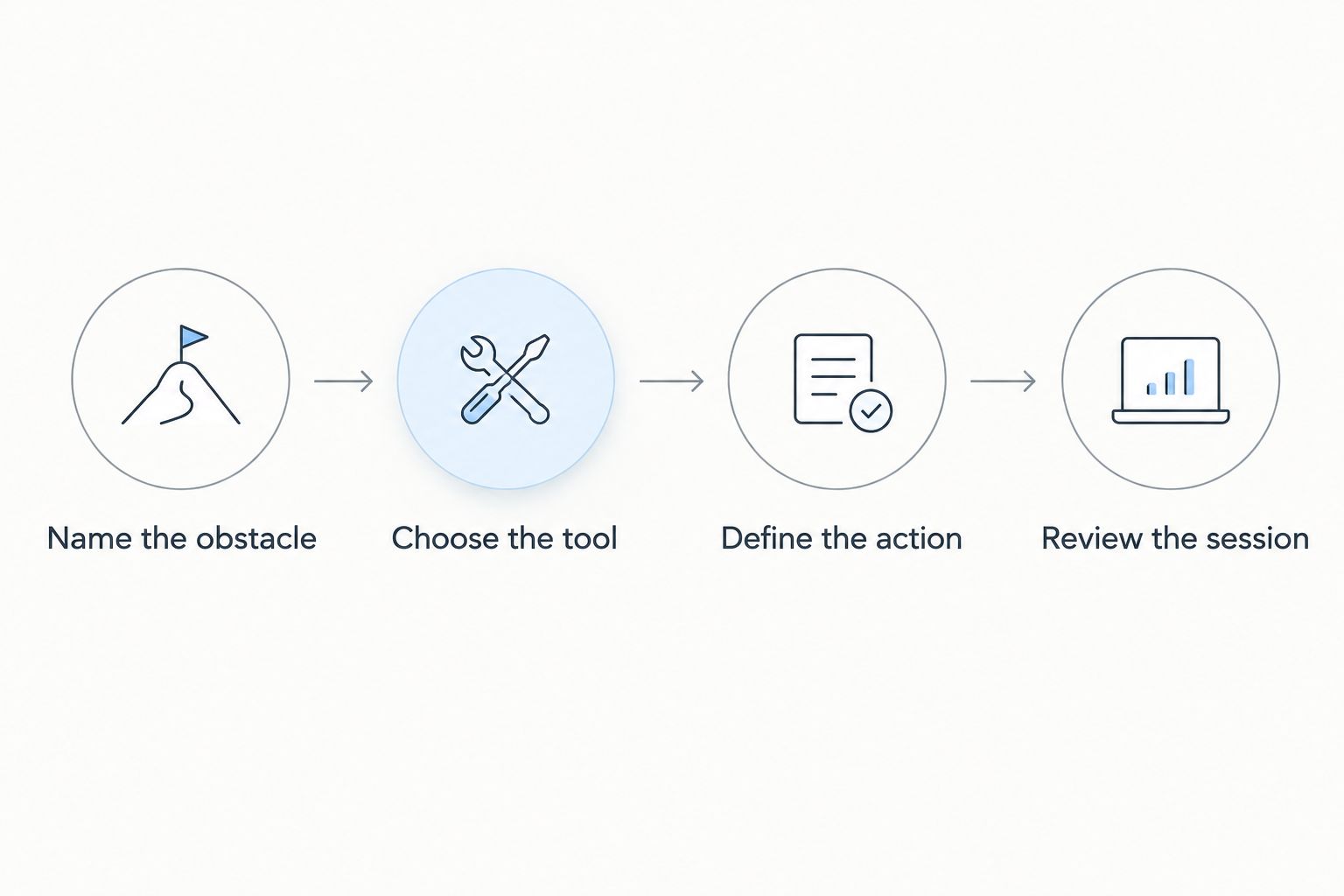
Use this selection sequence for your 2026 routine:
- Name the obstacle: Identify what happens immediately before you abandon the work.
- Choose the tool: Match blocking, timed execution, visual commitment, or task clarity to that obstacle.
- Define the action: Write a task with an observable endpoint.
- Review the session: Check whether you advanced the task, not merely whether the app recorded activity.
Start with one tool. Adding a blocker, timer, task manager, and visual reward simultaneously creates more settings to manage and makes it harder to identify which change helps.
The review is the deciding step. If you avoided browsing but still did not begin, inspect the task definition. If the task was clear but you kept reaching for your phone, change the distraction control rather than rebuilding your project list.
FAQ
What's the best focus app to stop procrastinating in 2026?
Freedom is the best overall pick here for blocking digital distractions. Choose Focus To-Do instead when you need a timer connected to tasks, or Todoist when the next action is unclear.
Is Freedom better than Forest for focus?
Freedom is the better fit for website and app blocking; Forest is the better fit for visual phone commitment. Choose according to the distraction you need to address, not a universal ranking.
What's the best focus app for desktop distractions?
Cold Turkey is the desktop-specific recommendation for blocking websites and applications on Windows and Mac. Check that your restrictions leave the resources needed for work accessible.
Can a Pomodoro timer stop procrastination?
A Pomodoro timer gives you a defined work session, but it does not resolve every cause of procrastination. Start with a concrete task; use blocking separately if access to distractions remains the problem.
Is Todoist a distraction blocker?
Todoist is a task manager, not a distraction blocker. Use it to clarify and organize actions rather than to prevent access to websites or apps.
Do I need several focus apps at once?
Start with one focus app matched to your main obstacle. Add another only when you can name a separate function the first tool does not provide.
Is Método AS a focus app?
Método AS is a digital 21-day productivity reset program, not a focus app. It includes a PDF guide, decision template, and audio reset for overwhelmed, scattered entrepreneurs.
One last thing
An app can keep a distraction out of reach without making the task easier to understand. Before installing anything, rewrite the work you are avoiding as a visible action: draft the opening, outline the proposal, or review the document.
Then choose the tool that protects that action. Your best focus setup in 2026 is the one you use to advance real work—not the one with the most settings.