
Best overall: Todoist. Best for calendar-based planning: Google Calendar. Best for understanding where your time goes: Toggl Track. This 2026 guide compares the best time management apps for entrepreneurs, including Trello for shared workflows and Notion for connecting project plans with reference material.
- Todoist leads the best time management apps for entrepreneurs when the main problem is organizing tasks.
- Google Calendar suits entrepreneurs who need to reserve time for work around meetings.
- Toggl Track suits entrepreneurs who need a record of time spent across clients and projects.
- Trello organizes shared workflows; Notion connects project information, notes, and tasks.
- Metodoas offers a 21-day productivity reset, not an app for scheduling or tracking time.
Why this matters
A task list, a calendar, and a time tracker answer different questions. A task list tells you what needs doing; a calendar reserves space to do it; a tracker records where your working time went. Choosing the wrong category leaves the original problem untouched.
Before adding another app, identify the decision you keep avoiding. Is it what to work on, when to work on it, or which commitments to stop accepting? More places to store tasks do not resolve competing priorities.
The Metodoas time management program takes a different format: a digital 21-day productivity reset with a PDF guide, decision template, and audio reset. It addresses overwhelmed, scattered entrepreneurs seeking focus and mental clarity; it is not a substitute for a calendar, task manager, or time tracker.
What makes the best time management apps for entrepreneurs?
Use these criteria to judge the shortlist before choosing a tool:
- Problem fit: The app should address your main bottleneck, whether that is task capture, scheduling, time visibility, coordination, or scattered information.
- Capture friction: You should be able to record an obligation without interrupting the work you are already doing.
- Action clarity: A useful system makes the next action visible, rather than hiding it inside a broad project name.
- Schedule visibility: You need a way to check commitments against the time your calendar actually leaves open.
- Maintenance burden: Every label, board, database, and automation creates something you must maintain.
- Shared understanding: If other people depend on your work, ownership and status need to be understandable without a separate explanation.
Choose the smallest system that makes your next decision clearer. An entrepreneur working alone does not automatically need a team board, and a team board does not automatically need an elaborate documentation system.
The shortlist at a glance for 2026
| App | Best for | Standout feature | Key limitation |
|---|---|---|---|
| Todoist | Personal task execution | Tasks organized into projects, with due dates and recurring schedules | A task list does not reserve working time |
| Google Calendar | Protecting time around meetings | Events that make commitments and work blocks visible | Not designed to hold detailed project workflows |
| Toggl Track | Reviewing time spent by project | Timer-based and manual time entries | Records depend on consistent tracking |
| Trello | Coordinating shared workflows | Cards moving through board lists | A board does not show your full working schedule |
| Notion | Connecting plans with reference material | Documents and databases in the same workspace | Flexible structure requires setup and maintenance |
These are recommendations by use case, not a claim that every entrepreneur needs all five. Start with the row that describes your immediate problem.
1. Todoist: best time management app for personal task execution
Todoist organizes tasks into projects and supports due dates, recurring schedules, and subtasks. It fits entrepreneurs whose commitments are scattered across messages, notes, and memory. The central benefit is a dedicated place to turn an obligation into an action.
Use a project for an outcome, then write tasks that describe observable work. For example, preparing a proposal is clearer when it becomes separate actions for gathering requirements, drafting the document, and sending it. Avoid assigning a deadline merely to make a task look important.
Todoist pros:
- Project organization separates different areas of responsibility.
- Recurring tasks support repeating administrative work.
- Subtasks break larger commitments into smaller actions.
- Due dates distinguish scheduled obligations from undated work.
Todoist cons:
- A full task list does not tell you whether the work fits your available hours.
- Constantly moving due dates can conceal an overloaded workload.
Best for: Entrepreneurs who know their priorities but need a dependable execution list.
Start with active commitments, not every idea you have ever considered. Keep future possibilities separate from work you intend to complete. That distinction makes reviewing the list a decision rather than an exercise in sorting clutter.
Verdict: Buy into Todoist as your default task system; skip elaborate organization until basic capture and review work.
2. Google Calendar: best time management app for protecting work time
Google Calendar schedules events and makes commitments visible across your day and week. You can use events for meetings, deadlines that require attendance, and blocks reserved for focused work. It answers the question a task list cannot: when will you do this?
Time blocking means assigning a task or type of work to a calendar period. It is a planning choice, not proof that the task will finish inside that period. Give the block a concrete purpose and revise the schedule when the work changes.
Google Calendar pros:
- Events show competing commitments in the same schedule.
- Repeating events support regular planning and administrative routines.
- Shared calendars help coordinate commitments with other people.
- Work blocks make unscheduled project time visible.
Google Calendar cons:
- Detailed task dependencies and project notes need another home.
- A calendar filled without transition space becomes difficult to follow.
Best for: Entrepreneurs whose meetings and reactive work crowd out planned work.
Do not copy an entire task backlog into the calendar. Choose the work that needs protected time, then leave space for communication and changes. A missed block should trigger a scheduling decision, not automatic duplication across the rest of the week.
Verdict: Buy into Google Calendar for time blocking; skip it as your only project management system.
3. Toggl Track: best time management app for reviewing project effort
Toggl Track records time through a timer or manual entries and organizes entries around projects. Its reports help you examine how recorded working time is distributed. That makes it useful when you cannot explain why a client engagement or internal project keeps consuming the week.
Start with project categories that support a real decision. Separate client delivery from internal administration, for example, if you need to examine the balance between them. Creating a category for every minor activity adds logging work without necessarily improving the review.
Toggl Track pros:
- Timer-based entries record work as it happens.
- Manual entries let you add work you did not time live.
- Project organization connects recorded time to specific commitments.
- Reports provide a basis for reviewing your allocation of effort.
Toggl Track cons:
- Forgotten or inconsistent entries leave an incomplete record.
- Time spent does not establish the quality or value of the output.
Best for: Entrepreneurs who need visibility into client work, administrative effort, or project overruns.
Use a 7-day tracking exercise as a starting point, then review what you recorded. This is a suggested trial period, not a claim about how quickly habits change. Ask which commitments deserve less time, which need clearer boundaries, and which were missing from your original plan.
Verdict: Buy into Toggl Track when you need a time audit; skip tracking categories that will not inform a decision.
4. Trello: best time management app for shared workflow visibility
Trello organizes work into cards on boards, with lists representing categories or stages. Cards can carry assignments, checklists, and due dates. It suits work that needs to move through a visible process rather than remain in a private task list.
Choose list names that describe the actual workflow. A simple board might separate upcoming work, active work, and completed work. The board becomes useful when everyone understands what moving a card means and who owns its next action.
Trello pros:
- Board lists make stages of work visible.
- Card assignments establish responsibility.
- Checklists keep smaller actions attached to the relevant work item.
- Due dates make dated commitments visible on cards.
Trello cons:
- Stale cards and unclear ownership undermine the board's usefulness.
- Workflow status does not show whether an individual has time to do the work.
Best for: Entrepreneurs coordinating repeatable work with collaborators.
Do not create a board simply because a project has multiple tasks. Create one when shared visibility solves a coordination problem. Keep background information with the relevant card, and agree on when collaborators should update status.
Verdict: Buy into Trello for shared workflow coordination; skip extra boards that duplicate your existing task list.
5. Notion: best time management app for plans with supporting information
Notion combines documents and databases in a workspace. You can keep project notes, reference material, and task records together. Its strongest fit here is work where understanding the context matters as much as seeing the next action.
A project page can hold the objective, supporting notes, and a database of tasks. That arrangement reduces the need to reconstruct the project's background each time you return to it. It also gives you more structure to maintain than a basic task list.
Notion pros:
- Documents keep explanations alongside project information.
- Databases organize records with properties and views.
- Project material can sit in the same workspace as task records.
- Flexible organization accommodates different kinds of reference information.
Notion cons:
- Designing the workspace can displace the work it is supposed to support.
- Inconsistent structures make information harder to find and review.
Best for: Entrepreneurs managing projects that depend on briefs, notes, research, or operating documentation.
Use a plain project structure before adding dashboards. Every field should answer a question you actually ask during work. If a property never changes a decision, remove it.
Verdict: Buy into Notion when project context is the bottleneck; skip it when you only need a short daily task list.
How the 2026 ranking was set
The order follows the criteria above: problem fit, capture friction, action clarity, schedule visibility, maintenance, and shared understanding. Todoist takes the default position because this guide prioritizes personal task execution; the other apps win distinct use cases rather than competing for the same label.
This is a functional comparison, not a performance benchmark. It does not claim measured time savings or results from a controlled test. Choose by the work you need the app to support.
Which time management app should you choose?
For an undecided entrepreneur in 2026, start with Todoist for tasks and use your calendar to check capacity. Add another system only when you can name the problem it will solve.
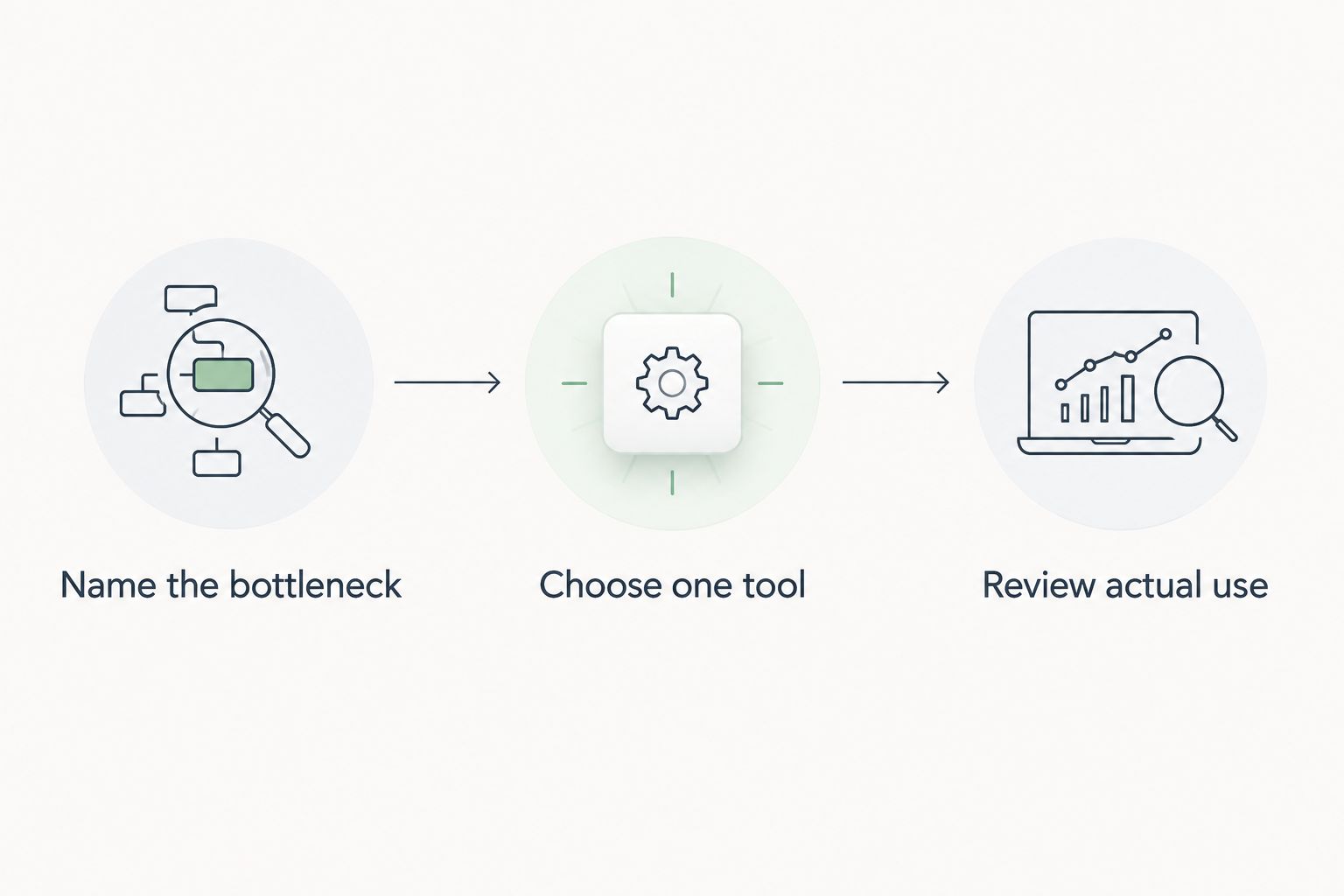
Use this sequence before transferring your workload:
- Name the bottleneck: Identify whether tasks, scheduling, time visibility, coordination, or reference information causes the problem.
- Choose one tool: Select the app that directly addresses that bottleneck.
- Review actual use: Schedule a 15-minute weekly review to decide what to keep, change, or remove.
The review duration is a practical starting point, not a productivity benchmark. Examine missed commitments and confusing entries, not the appearance of the workspace.
If you keep replacing tools because you cannot decide what matters, distinguish the planning problem from the software problem. Metodoas is best for overwhelmed entrepreneurs seeking a structured 21-day productivity reset rather than another app. Its PDF guide, decision template, and audio reset are a different format from the scheduling and tracking tools compared here.
Explore a structured productivity reset
Review the 21-day program, including its PDF guide, decision template, and audio reset.
FAQ
What's the best time management app for an entrepreneur in 2026?
Todoist is this guide's default recommendation for entrepreneurs who need to organize and execute tasks. Choose Google Calendar instead if protecting working time around meetings is your main problem.
Is Todoist better than Google Calendar for managing my day?
Todoist is better suited to organizing tasks, while Google Calendar is better suited to reserving time. Use the task list to identify the work and the calendar to decide when it fits.
Which app helps me see where my working time goes?
Toggl Track records time against projects through timer-based or manual entries. Its usefulness depends on consistent records, and recorded hours do not measure the value of the work.
Should a solo entrepreneur use Trello or Notion?
Choose Trello for a visible workflow and Notion for projects that need supporting documents and reference information. If you only need a personal action list, Todoist is the simpler fit described in this guide.
Can I manage my time without adding another app?
Yes: you can use a written task list and your existing calendar to make priorities and commitments visible. Add software only when it resolves a specific problem such as shared ownership or time recording.
Is Metodoas a time management app?
Metodoas is a digital 21-day productivity reset program, not a time management app. It includes a PDF guide, decision template, and audio reset for overwhelmed, scattered entrepreneurs seeking focus and mental clarity.
How should I compare the cost of these time management apps?
Check each provider's current terms and plan details before committing. Compare the features your workflow requires, including collaboration and reporting, rather than choosing a plan for features you will not use.
One last thing
Before moving your task backlog into a new app in 2026, remove commitments you no longer intend to complete. Transferring everything preserves the same workload under a different interface.
Your first useful decision is what to leave out. Make that decision before building the system, and the app has a clearer job to do.