
Best overall: Pomofocus. Best for task-based sessions: Focus To-Do. Best for staying off your phone: Forest. These are the best Pomodoro apps for deep work in 2026 when you choose by the interruption you need to solve, not by the longest feature list.
- Among the best Pomodoro apps for deep work, Pomofocus is the default choice for straightforward browser-based focus sessions.
- Focus To-Do suits task-based planning; Forest suits people whose phone repeatedly interrupts focused work.
- Marinara suits Chrome users; Session suits Mac users who want focus sessions with distraction controls.
- Método AS suits overwhelmed entrepreneurs who need a structured productivity reset rather than another timer.
Why your timer choice matters
A Pomodoro timer structures a work session. It does not decide what deserves your attention, turn an unclear project into an actionable task, or resolve competing commitments. If you repeatedly finish intervals without finishing meaningful work, changing the timer is not the first move.
Método AS offers a 21-day productivity reset with a PDF guide, decision template, and audio reset. It belongs in a different category from the apps below: a structured program for overwhelmed entrepreneurs, not a Pomodoro timer.
Método AS is best for overwhelmed entrepreneurs who need a structured productivity reset rather than another Pomodoro timer. Choose an app to manage the session; choose your priority before you start it.
What makes the best Pomodoro apps for deep work?
For this 2026 guide, the useful criteria are practical rather than decorative:
- Low setup friction: Starting a session should not require reorganizing your entire workflow.
- Appropriate intervals: Your work should determine the session length, rather than the timer dictating every stopping point.
- Task clarity: A task-linked timer helps when you need to connect elapsed time to a specific piece of work.
- Distraction fit: Phone temptation, browser switching, and unclear priorities are different problems. Choose accordingly.
- Useful feedback: Session history matters when you use it to adjust your work, not merely admire a streak.
- Acceptable overhead: Task lists, reports, and visual rewards are useful only when they do not become another project.
The traditional Pomodoro pattern uses 25-minute work intervals and 5-minute short breaks. Treat that pattern as a starting structure, not proof that every writing, coding, or strategy task belongs in an identical interval.
Pomodoro apps at a glance
| App | Best for | Standout feature | Key limitation |
|---|---|---|---|
| Pomofocus | Straightforward browser sessions | Web timer with task tracking and configurable intervals | A timer cannot prevent you from choosing an unrelated tab |
| Focus To-Do | Connecting tasks with focus sessions | Combines a task list and Pomodoro timer | Task organization adds maintenance |
| Forest | Reducing habitual phone checking | A growing virtual tree makes a session visually tangible | The visual reward does not establish your work priorities |
| Marinara | Keeping a timer inside Chrome | Browser extension with focus-session history | Browser placement is less useful for work away from Chrome |
| Session | Mac-centered focus with distraction controls | Focus sessions alongside app and website blocking | Blocking requires setup and does not clarify the task |
1. Pomofocus: best Pomodoro app for a simple browser workflow
Pomofocus is a browser-based Pomodoro timer with task tracking and configurable work and break periods. It suits you when the task is already clear and you want to start without adopting a separate planning system.
Its strongest use case is ordinary desk work: drafting a proposal, editing a document, or completing a defined administrative batch. You can name the task and run the timer in the same interface. That keeps the session attached to an intention rather than an anonymous countdown.
Pomofocus pros:
- Browser access fits a workflow already centered on web tools.
- Task tracking gives the interval a named purpose.
- Configurable intervals let you adjust the work and break pattern.
- Its timer-first approach avoids making project planning a prerequisite.
Pomofocus cons:
- A countdown does not stop you from switching to unrelated browser tabs.
- A task name can still be vague; you must define what completion means.
Best for: Someone who already knows the next action and needs a straightforward session structure.
Before starting, replace a broad task such as marketing with an observable output such as draft the proposal introduction. Pomofocus works as a session tool, not as a substitute for that decision. If you keep editing the task list instead of working, simplify the task rather than adding more categories.
Verdict: Buy into Pomofocus as your default when simplicity is the priority.
2. Focus To-Do: best Pomodoro app for task-based planning
Focus To-Do combines task management with a Pomodoro timer and session reporting. It suits work that arrives as a list of separate actions, especially when you want the timer and the task record together.
The distinction from Pomofocus is the role of the task list. Choose Focus To-Do when maintaining that list is part of your workflow, not merely something you do before starting a countdown. A task-based structure can help you distinguish time spent on client delivery from time spent maintaining your business.
Focus To-Do pros:
- Tasks and timed sessions sit within the same tool.
- Session reporting gives you material for a work review.
- Task organization suits recurring responsibilities and separate deliverables.
- A named task provides context for the time you record.
Focus To-Do cons:
- Maintaining the task system adds work of its own.
- Recorded time does not establish whether a task was valuable or completed well.
Best for: Entrepreneurs who want to connect their task list with focused execution.
Keep the active list distinct from the backlog. A long inventory of possible work can make a timer feel like another demand, while a clearly chosen next action makes the session easier to begin. Review the report to understand where effort went; do not treat a full chart as evidence that your business priorities were correct.
Verdict: Buy into Focus To-Do when task-linked sessions matter more than minimal setup.
3. Forest: best Pomodoro-style app for habitual phone checking
Forest uses a virtual tree to represent a focus session. Its visual approach suits people who reach for their phone automatically and want a tangible reason to leave it alone.
Forest is better understood as a focus companion than as a complete planning method. The tree gives the session a visible consequence, but your actual work still needs a defined finish line. Use the visual reward to support a commitment you have already made.
Forest pros:
- A growing tree makes the focus session easy to understand visually.
- The session creates a deliberate alternative to casual phone checking.
- The visual reward suits people who dislike task-heavy timer interfaces.
Forest cons:
- Collecting visual rewards can become the goal instead of completing work.
- A phone-centered tool does not address unrelated distractions on your computer.
- The app cannot decide which business task deserves the session.
Best for: People whose main interruption is reaching for their phone during desk work.
Decide whether the phone is necessary before you begin. If your task requires messages, authentication, or calls, establish how you will handle those needs rather than repeatedly interrupting yourself. If the phone is unnecessary, put it out of easy reach after starting the session.
Forest earns its place when the phone habit is the problem. It is not the default recommendation for someone whose interruptions come from an overloaded task list.
Verdict: Buy into Forest for phone-checking habits; skip it as a substitute for planning.
4. Marinara: best Pomodoro timer for a Chrome-centered workflow
Marinara is a Pomodoro extension for Chrome with focus-session history. It places the timer in the browser rather than asking you to keep a separate timer website open.
That placement is its main reason to choose it. If your work already happens in Chrome, an extension keeps the session control close to the workspace. If your work happens elsewhere, that same placement becomes less useful.
Marinara pros:
- Extension placement fits a Chrome-based workflow.
- Session history supports a review of your focus routine.
- A browser timer avoids introducing a separate planning application.
Marinara cons:
- Chrome-centered placement is less relevant for offline or non-browser work.
- An extension timer does not resolve the temptation to switch between distracting tabs.
Best for: Chrome users who want a timer attached to their browser workflow.
Choose Marinara over a task-management app when your task list already lives somewhere suitable. Duplicating that list just to gain a timer creates another place to maintain the same information. Keep the task in its existing home and use the extension to mark the work period.
For your 2026 setup, judge Marinara by whether you actually start useful sessions with it. The convenience of an extension matters only if it supports work rather than adding another browser control you ignore.
Verdict: Buy into Marinara for Chrome-based sessions; skip it when Chrome is not your workspace.
5. Session: best Pomodoro app for Mac distraction controls
Session combines focus sessions with distraction controls, including app and website blocking on Mac. It suits people who know their next task but repeatedly open unrelated applications or websites while working.
This addresses a different problem from task planning. A blocker introduces friction between an impulse and an interruption. It does not establish whether the work you selected is the right work.
Session pros:
- Focus sessions and distraction controls work together.
- App blocking addresses interruptions beyond a single browser tab.
- Website blocking lets you target specific online distractions.
- The setup fits a Mac-centered work environment.
Session cons:
- Blocking requires decisions about what to restrict and what to leave accessible.
- An overbroad block list can interfere with legitimate research or communication.
- A blocked distraction does not make an unclear task actionable.
Best for: Mac users whose focus breaks through repeated app or website switching.
Start with the distractions you already recognize. Do not block every communication or research tool merely because it can interrupt you. A proposal-writing session and a research session need different access; configure the environment around the work you have chosen.
Session belongs below simpler options because distraction controls add setup. That trade-off is justified when unwanted switching is a recurring obstacle, not when you only need a visible countdown.
Verdict: Buy into Session when Mac distraction controls solve a specific interruption pattern.
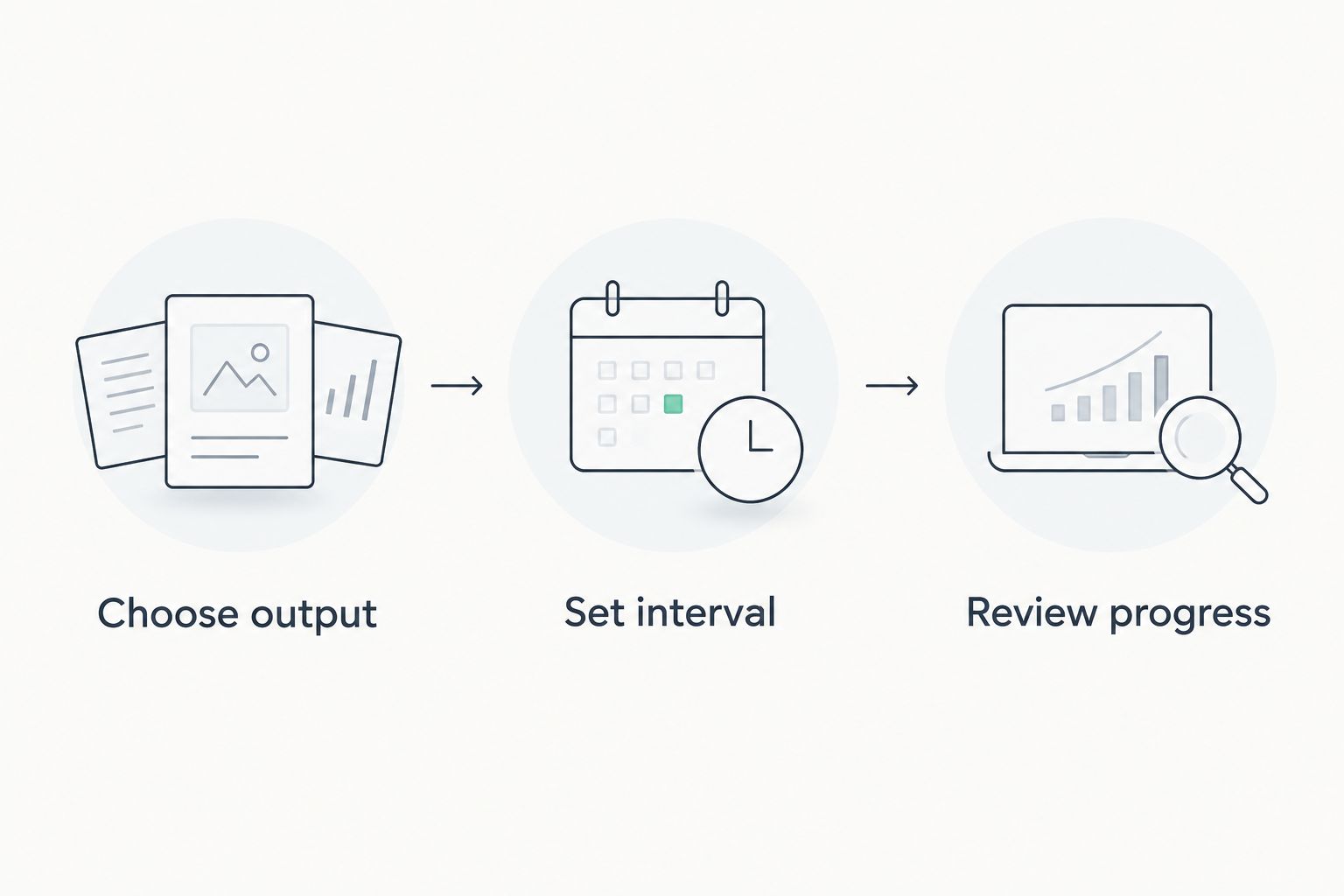
Set up a useful focus session
The best Pomodoro setup in 2026 starts with the task, not the app settings. Use this sequence before changing themes, building reports, or experimenting with another timer.
Choose output
Write the result you intend to produce. Draft the email sequence is more useful than work on marketing because you can inspect the result after the session. If the task still feels unstartable, identify the first visible action rather than extending the timer.
Set interval
Choose a work period that fits the task and your immediate constraints. A 25-minute interval is a familiar starting point; it is not a requirement to interrupt productive work at an arbitrary moment. Decide beforehand how you will handle the timer ending and leave a clear restart note when you stop.
Review progress
At the end, check the output before checking the session count. Identify what you completed, what remains, and whether an interruption came from the environment or from uncertainty about the task. That distinction tells you whether to change the app, the workspace, or the next action.
How we ranked
The ranking prioritizes a clear use case, low unnecessary overhead, and a match between the tool and the interruption. Pomofocus leads as the straightforward browser choice. Focus To-Do, Forest, Marinara, and Session each serve a different workflow rather than competing for an identical best-for label.
This is a feature-and-workflow comparison, not a claim that any app produces a measured improvement in concentration. In 2026, choose the tool whose purpose matches your problem and verify the current platform requirements before adopting it.
Which Pomodoro app should you choose?
Choose Pomofocus if you are undecided and already know your next task. Choose Focus To-Do for task-linked sessions, Forest for phone-checking habits, Marinara for Chrome placement, or Session for Mac distraction controls.
If choosing the work is harder than timing it, stop shopping for countdowns. Método AS offers a 21-day productivity reset aimed at overwhelmed, scattered entrepreneurs. Its PDF guide, decision template, and audio reset are a different format from the apps in this comparison.
Explore your productivity reset
Review the 21-day program with its PDF guide, decision template, and audio reset.
FAQ
What's the best Pomodoro app for deep work?
Pomofocus is the default recommendation for straightforward browser-based focus sessions. Choose Focus To-Do for task-linked work, Forest for phone habits, or Session for Mac distraction controls.
Is Focus To-Do better than Pomofocus?
Focus To-Do is the better fit when you want task management and timed sessions together. Pomofocus is the better fit when your task is already clear and you want a browser timer without adopting another planning system.
Should I always use 25-minute Pomodoro sessions?
No; 25-minute work sessions are the traditional starting pattern, not a requirement for every task. Choose an interval that fits the work and decide how you will stop or continue before the timer ends.
Is Forest useful if my phone distracts me?
Forest suits people who want a visual commitment to staying focused instead of checking their phone. It does not resolve distracting computer tabs or decide what work deserves your attention.
Which Pomodoro app works well with Chrome?
Marinara suits Chrome users who want an extension-based timer with focus-session history. Pomofocus is an alternative when you prefer a timer website rather than a browser extension.
Do I need website blocking for deep work?
Website blocking fits a specific problem: repeatedly opening unrelated sites during a defined task. It is not a substitute for choosing a clear output, and your block list should leave necessary work resources accessible.
Is Método AS a Pomodoro timer app?
Método AS is a digital 21-day productivity reset program, not a Pomodoro timer app. It includes a PDF guide, decision template, and audio reset for overwhelmed entrepreneurs seeking better focus and mental clarity.
One last thing
A completed countdown and a completed task are different outcomes. Before your next session, write a restart note explaining the next action you would take if interrupted. That note gives you something concrete to return to instead of reopening the entire decision about what to do.
For your 2026 routine, keep the timer decision small. Choose the option that matches your interruption, define the output, and judge the session by the work you can point to afterward.